
Disclosure: This post contains one referral link for Groover. If you sign up using my link, you'll receive 10% off your first campaign — and I'll receive 10 Grooviz (Groover's in-platform currency) to use toward my own submissions. I only recommend tools I actually use and believe in.
Table of Contents
One thing that really surprises people is when they hear one of my newer songs and then learn about my home studio setup, especially that I recorded it right in my dining room. More than once, I’ve heard some version of, “Wow, I never would’ve guessed, this sounds like you recorded in a real studio.”
And honestly, I love that reaction, because my setup is simple, affordable, and something I believe most independent gospel artists can actually access. I'm not recording in a professional studio. I'm recording in my home as a wife, a mom, and an independent artist.
So if you're curious about how I bring these songs to life, I'm pulling back the curtain. Here's exactly what I use, why I use it, and a few extra tools that help me get my music heard once it's recorded.
No gatekeeping.
Why I Chose a Home Studio Setup
When I first started recording, I thought professional meant expensive. And for a long time, I let that belief slow me down.
But God had other plans. Stepping into this new season of writing, arranging, and self-producing my own music forced me to figure out what I actually needed and what was just noise.
The truth is: you don't need a $10,000 setup to create music that ministers. You need the right tools, a quiet space, and the Holy Spirit in the room. That's what really matters.
My Home Studio Setup: The Full Breakdown
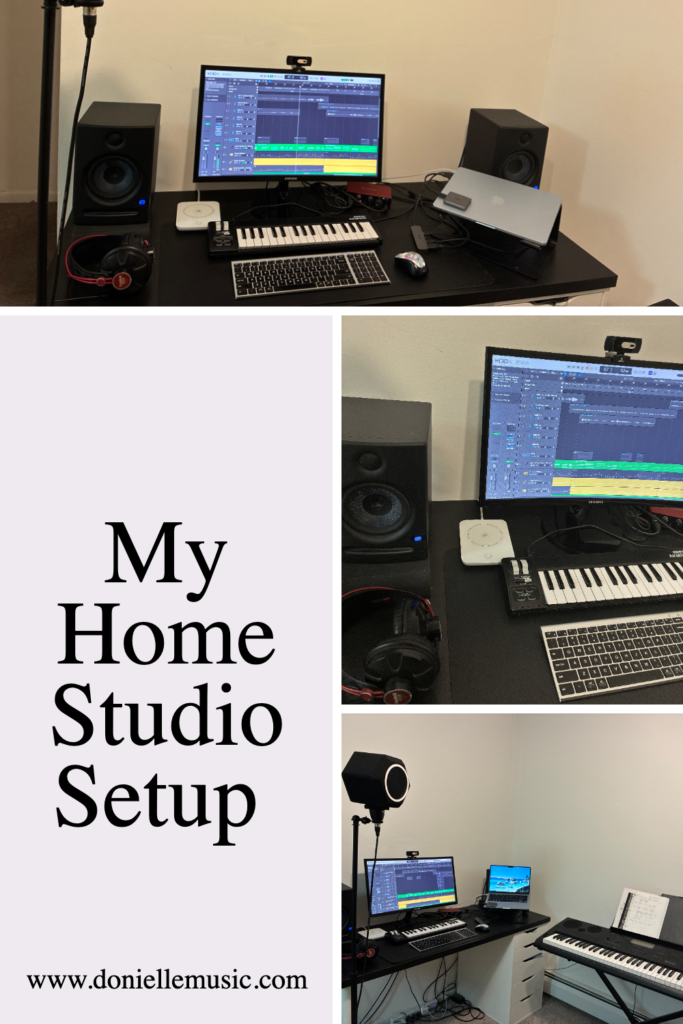
Here's everything currently in my setup, broken down by category.
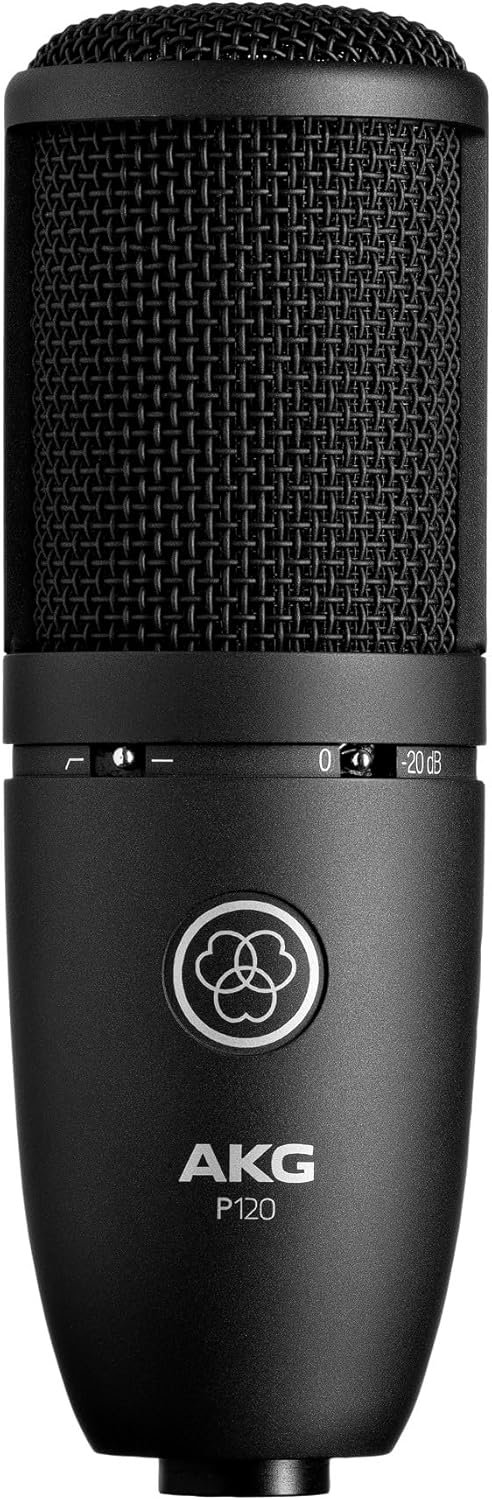
Microphone — AKG P120 Condenser Microphone
This is the mic I use for all of my vocal recordings as a gospel artist, and I genuinely love it.
What I appreciate most about the AKG P120 is how clean and natural it sounds. It captures the emotion in my voice, the breaths, the dynamics, the weight behind certain phrases, without requiring heavy processing to make it usable. For gospel and worship music, where the message matters as much as the melody, that's everything.
It also handles my home recording environment really well, even when I can't control every variable. If you're a vocalist looking for a condenser mic that won't break your budget but will still represent your voice with integrity, this is a solid option to look into.
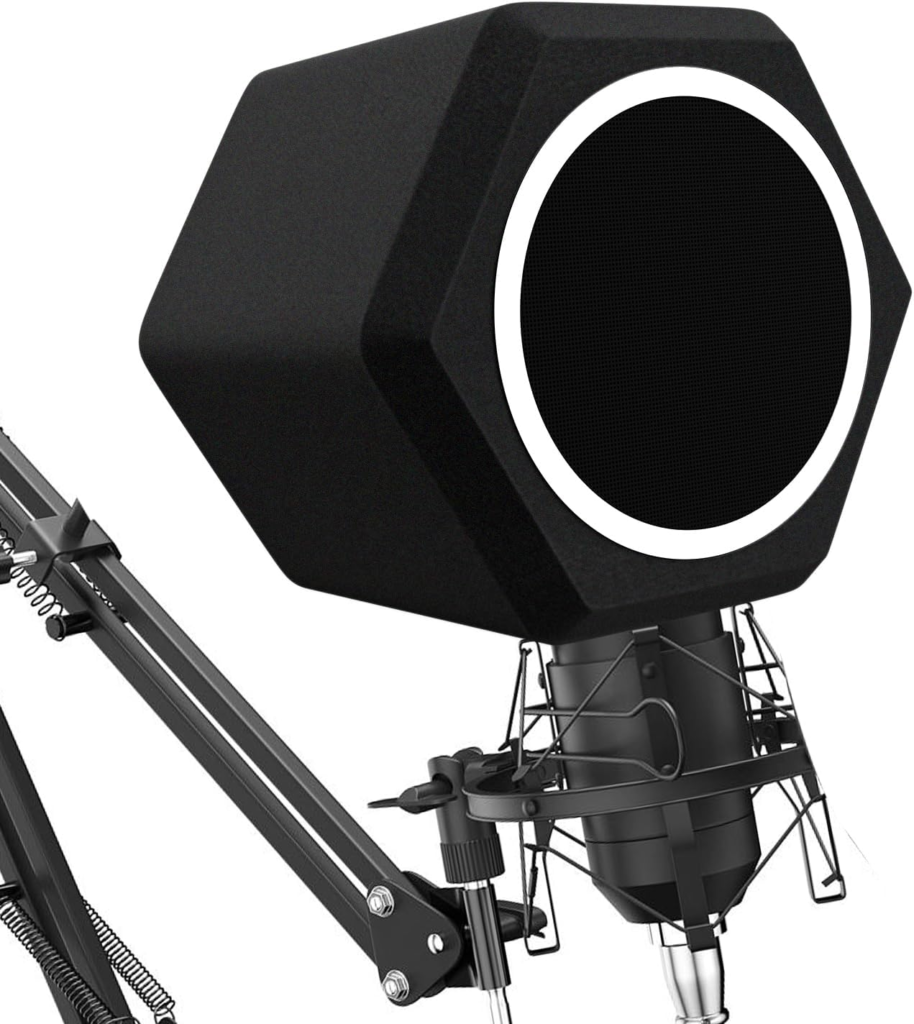
Microphone Isolation Filter — Penypeal Microphone Wind Shield Pop Filter
One thing I had trouble with when I was first setting up my space was acoustic treatment, specifically, what to do when you don't have a vocal booth.
I don't. I record in an open space at home, and for a long time, I wasn't sure how to get around that.
The solution I landed on was the Penypeal Microphone Isolation Ball — a five-sided sound-absorbing foam shield that attaches directly around your mic. It reduces noise, cuts down on room reflections, and essentially creates a mini acoustic environment right at the source.
I chose this as a more affordable alternative to the Kaotica Eyeball (which is a popular option in this space), and for under $30, it genuinely does the job.
I also learned that where you position yourself matters just as much as the gear itself. I always record with the wall to my back instead of having the open room to my back; this helps reduce the sound bouncing back into the mic from behind you. That one small shift made a noticeable difference in the clarity of my recordings.
If you're recording in an untreated room and wondering why your vocals sound roomy or reflective, this is worth looking into before you spend more money on anything else.
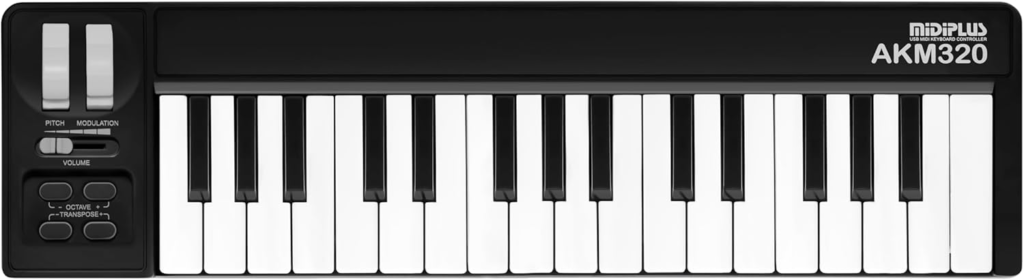
MIDI Keyboard Controller — Midiplus AKM320
This one might surprise you, but a MIDI keyboard controller has become an essential part of how I build my music, and this little 32-key has been with me for about six years now.
The Midiplus AKM320 is a compact, USB-powered controller with velocity-sensitive keys, a pitch wheel, a modulation wheel, and octave and transpose buttons. It connects straight to your computer with a USB cable, no power adapter needed, which keeps my setup clean and simple.
Is it the most advanced controller out there? No. But for what I needed when I was learning to produce and building out arrangements, it was exactly right. I've used it to sketch chord progressions, layer instrument parts, and bring my song ideas to life inside Logic Pro. For a beginner producer working in a home setup, it genuinely gets the job done.
That said, I'm looking forward to upgrading soon to something with pads and a bit more control. But I want to be honest with you: this keyboard, along with everything else listed in this post, is exactly what I used to record, produce, mix, and master my newest singles, Gold and Why (Merry-Go-Round). No elaborate studio. Just the right tools, used intentionally.
If you're just getting started and need a simple, affordable way to start playing and programming parts in your DAW, this is worth considering. You can usually find it for around $40.
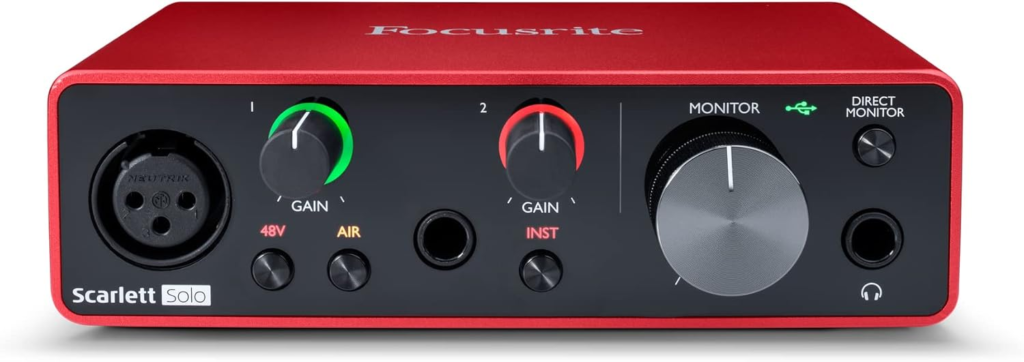
Audio Interface — Focusrite Scarlett Solo (3rd Gen)
Your microphone is only as good as the interface connecting it to your computer, and the Focusrite Scarlett Solo has been incredibly reliable for me in my home studio setup.
It's small enough to fit on my desk without taking over my space (important when you're working around family life), and the preamps are clean and transparent, meaning what I sing is what I hear back, without unwanted coloring or distortion.
If you're just getting started with home recording, this interface is one of the most recommended entry-to-mid-level options for good reason. Simple, dependable, and built to last.
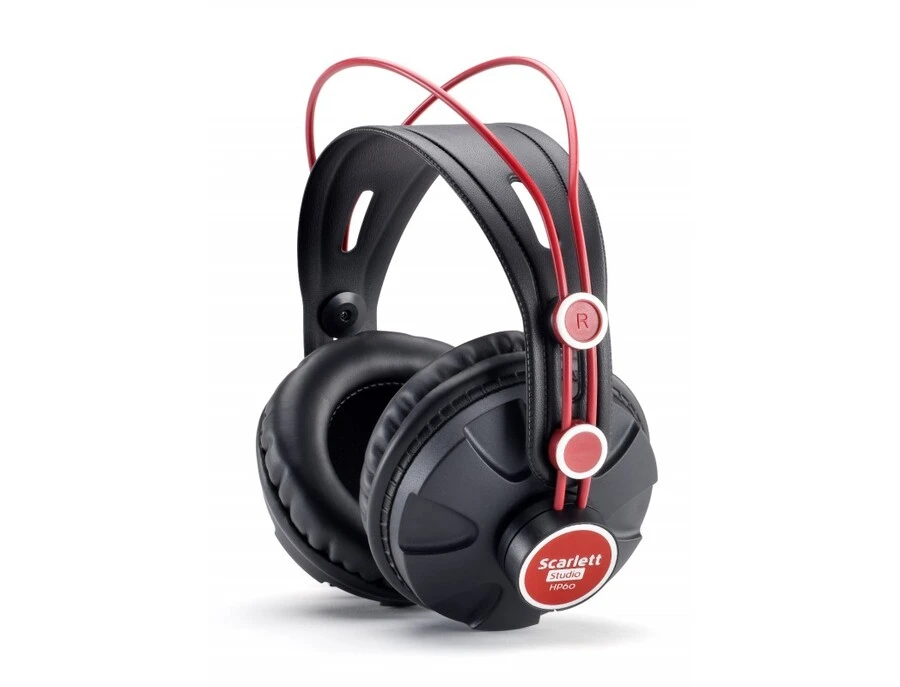
Studio Headphones — Scarlett Studio HP60
I use these headphones for three main things:
The first is tracking vocals — hearing the instrumental in my ears while I'm singing, so the mic only captures my voice.
The second is vocal comping — the process of listening back through multiple takes and assembling the best performance, catching all the little details that make the difference between a good take and the right one.
The third is honestly the most real-life reason: being a mom and wife who produces in a shared space. When my husband is reading, or my son is watching TV, I can't just blast music through my monitors. The headphones let me keep working, editing, producing, and arranging, without taking over the whole house. Ministry starts at home, and so does being considerate of the people in it.
Good headphones for recording are closed-back (to prevent bleed into the mic) and accurate enough to reveal the details you need to hear. The HP60s do both. They actually came bundled with an older Focusrite Scarlett years ago, so they've been with me for a while, and while they still work well, they're due for an upgrade soon. When I replace them, I'll update this post with what I land on.
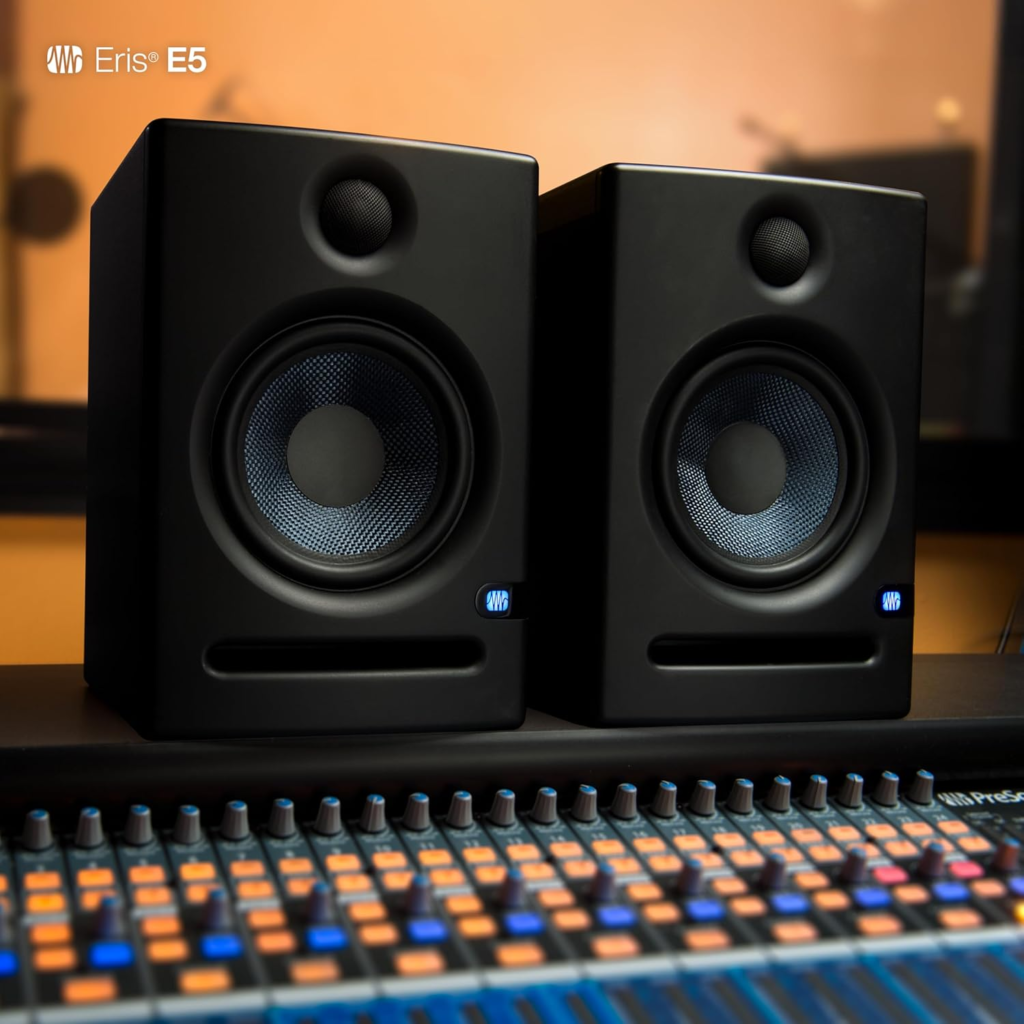
Studio Monitors — PreSonus Eris E5
Studio monitors are the speakers I use for mixing, and they're a different tool from regular speakers or consumer headphones.
The goal with studio monitors is accuracy: they're designed to give you a flat, honest representation of your audio so you can make good mix decisions. When I'm finalizing a song, I need to know that the vocal is sitting right, the low end isn't muddy, and everything translates across different playback systems.
The PreSonus Eris E5s have been a trustworthy part of this process. They're well-reviewed in the home studio community, and they work especially well in smaller spaces, which is exactly what I'm working with.
I've had mine for about six years now. They have survived a lot, including my son poking a pencil through one of them. 😅 And honestly? They kept going. That one finally gave out this past week, so an upgrade is officially in my near future, but for six years of faithful service (pencil and all), I really can't complain. When I replace them, I'll update this post with what I land on.
DAW (Recording Software) — Logic Pro
Logic Pro is where everything comes together.
I record, arrange, edit, and build out my songs here. As I've stepped into producing my own music, creating the chord progressions, choosing the right sounds, layering harmonies, and building the arrangements, Logic has been essential. It's an Apple-exclusive software (Mac only), but if you're in the Apple ecosystem, it's one of the most powerful tools available at both a one-time cost and a subscription.
I didn't start here, though. I actually used Cubase first, but over time, I found Logic's interface more intuitive and easier to navigate for the way my brain works. After Cubase, I gave myself about a month in GarageBand, which is free on Mac and a genuinely great starting point, before upgrading to Logic Pro. If you're on a Mac and not sure where to begin, that GarageBand-to-Logic pathway is one I'd actually recommend. You learn the basics without the overwhelm, and when you're ready, the upgrade is seamless.
Learning to produce in Logic has been one of the most stretching and rewarding parts of this season. It's a big tool with a learning curve, but there is so much help available online, and the creative freedom it offers is worth it.

Computer — MacBook Air M4
And none of any of this works without the thing that runs it all; my MacBook Air M4.
This was actually my Christmas gift this past year, and it has been a game-changer. It's by far the most expensive thing on my list and was an upgrade from an older used MacBook I purchased years ago at a good price. The M4 chip handles audio production beautifully; no lag, no spinning wheel of doom mid-session, no crashing when I have too many tracks open. If you've ever tried to produce on an older machine and felt like you were fighting your computer more than making music, you know exactly what I mean.
It's also lightweight enough that I can move it around the house when I need to, which, as someone working in a shared family space, matters more than I expected.
I'm genuinely grateful for this one.
Getting Your Music Heard: The Tools I Use for Promotion
Recording the music is only part of the journey. Once a song is done, it still has to reach people. That's where these next two tools come in, and they're both ones I've personally found valuable as an independent artist.
Groover — For Getting Your Music to Blogs, Playlists & Media
If you've been creating music independently for any amount of time, you know how hard it is to get genuine feedback and real placement opportunities. Groover is a platform that changes that equation.
Here's how it works: you submit your music directly to curators, playlist managers, music blogs, radio hosts, journalists, and they are contractually required to listen and respond within 7 days. That means actual feedback, not silence.
What I appreciate about Groover specifically is how it treats independent artists with respect. You're not just throwing your music into a void, hoping someone notices. You're investing in intentional outreach to people who are actively looking for music like yours.
For gospel and Christian music creators, this matters. Our genre doesn't always have the same mainstream pipeline, so finding platforms that take us seriously is something I don't take lightly.
You can use my referral code 2-DONIELLE-BE0DA to get 10% off your first campaign when you sign up.
If you're ready to start getting your music in front of curators who will actually listen, check out Groover here:
SubmitHub — For Playlist & Blog Submissions
Another tool I've used for music promotion is SubmitHub, a platform that lets you submit your music to blogs, YouTube channels, playlist curators, and more.
SubmitHub has one of the largest networks of curators in the independent music space, and it gives you the ability to filter by genre or similar artists (yes, Christian music is included) so you're not wasting credits on people who won't connect with your sound.
You can start with free submissions, or use premium credits to gain access to more curators. I'd encourage you to take the time to read curator profiles carefully and submit to people whose playlists or blogs genuinely align with your message. Quality over quantity every time.
👉 Want to start getting your gospel music in front of playlist curators and music blogs?
A Word About "Good Enough" Gear
Here's what I want you to take away from this:
I have been through seasons where I felt like I didn't have enough: enough resources, enough equipment, enough voice. I lost master recordings I'll never get back. I watched my vocal range shift in ways I had to grieve. There were real seasons of defeat.
And yet … God.
This setup isn't perfect. It's not a professional studio. But it's reliable. It's what God has provided in this season, and I've decided to use it with excellence and gratitude.
If you're sitting on songs you haven't recorded because you're waiting for better gear, better timing, a better situation. I want to gently push back on that. Start where you are. God can use what you have.
Quick Reference: My Studio Setup at a Glance
- Microphone: AKG P120 Condenser
- Microphone Isolation Filter: Penypeal Microphone Wind Shield Pop Filter
- MIDI Keyboard Controller: Midiplus AKM320
- Audio Interface: Focusrite Scarlett Solo (3rd Gen)
- Headphones: Scarlett Studio HP60
- Studio Monitors: PreSonus Eris E5
- DAW: Logic Pro (Mac)
- Computer: MacBook Air M4
- Music Promotion: Groover (use code 2-DONIELLE-BE0DA for 10% off) + SubmitHub
Want to See It All in Action?
If you're a visual person, I've got you. I recorded a short video over on my YouTube channel where I actually walk you through my gear and show you the space I record in. Sometimes seeing it is more helpful than reading about it, so click here to check it out.
Let's Stay Connected
I share more about music, faith, and what I'm learning in this season over on my email list. If something in this post resonated with you, whether you're a fellow creator or just someone walking through a hard season, I'd love to stay in touch.
Join my email family below.
And if you found this helpful, share it with another independent artist who needs to hear it. You never know who needs the reminder that they have everything they need to start.
Surrounded by Songs of Deliverance. — Psalm 32:7
Disclosure: This post contains one referral link for Groover. If you sign up using my link, you'll receive 10% off your first campaign — and I'll receive 10 Grooviz (Groover's in-platform currency) to use toward my own submissions. I only recommend tools I actually use and believe in.
Pin This Post


0 Comments